Local AI Feels Like Arduino All Over Again
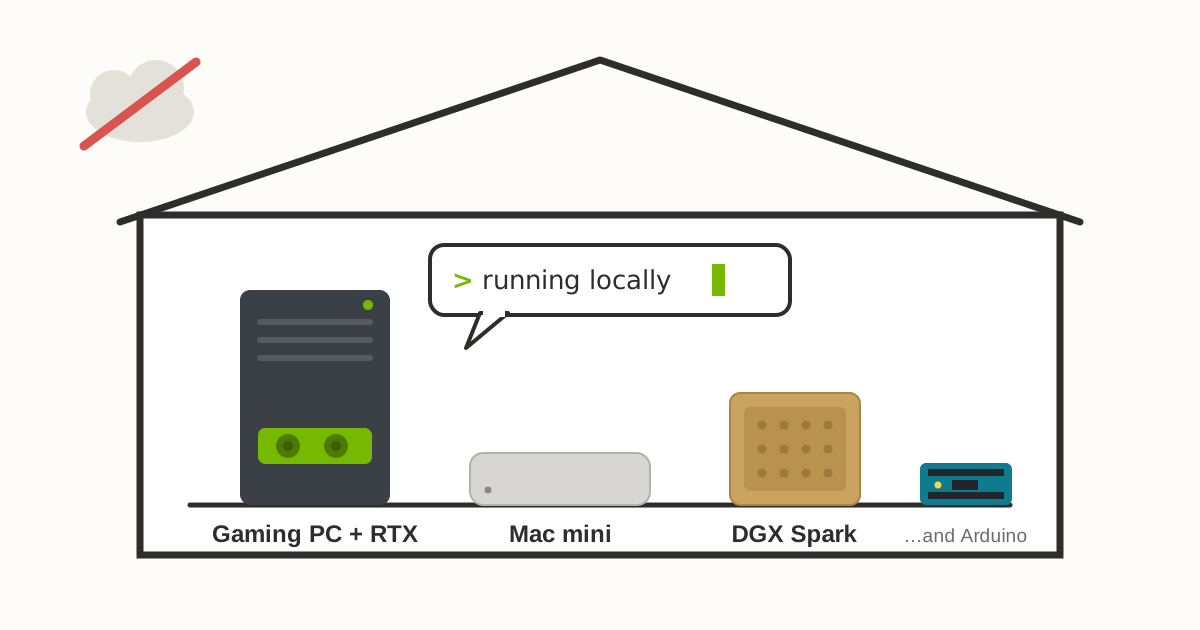
If you are wondering about running your own local AI with no cloud, no internet, no API key, no subscription — this is the post for you. Think cloud vs on-premise.
I am a big fan of local hardware setup — see my passion for electronics and IoT — and I get a similar feeling running my local AI.
Local AI means you download an open model — Meta’s Llama, Alibaba’s Qwen, Google’s Gemma, Mistral, Moonshot’s Kimi, and many others are free to use — and run it on hardware you own. Your questions never leave your house. Nobody bills you per token. If the internet goes down, your AI doesn’t. If you read my post about owning the full stack, you’ll recognise the theme. Renting is convenient. Owning is satisfying — and it teaches you how things actually work.
If you have a gaming PC with an NVIDIA card in it, you already own the hardware. That card you bought for gaming is a perfectly good AI machine, and this post is about what it can and can’t do. Apple Silicon Mac is also one of the best local AI machines you can buy.
The Hardware
The Gaming GPU
For local AI, your GPU’s video memory (VRAM) matters far more than its raw speed. A model has to fit into VRAM to run fast — spill over into regular RAM and everything slows down.
Rule of thumb: a model needs a bit more than half its parameter in gigabytes.
An 8-billion-parameter (8B) model wants about 5GB of VRAM. A 14B model wants about 9GB. A 32B model wants about 19GB. Add a couple of gigabytes on top for the conversation context.
That single rule explains the whole hobby. Here’s how the common NVIDIA cards map out:
| Your card’s VRAM | Typical cards | What runs comfortably |
|---|---|---|
| 8GB | RTX 3070, 4060, 5060 | Small models (3–8B), quantized. Chat, summarising, coding autocomplete. Workable but tight. |
| 12GB | RTX 3060 12GB, 4070, 5070 | 7–8B models at full conversational speed, up to ~14B. The 3060 12GB is the classic budget entry. |
| 16GB | RTX 4060 Ti 16GB, 4080, 5070 Ti, 5080 | 14B comfortably, ~24B quantized. Room for voice and image models alongside. |
| 24GB+ | RTX 3090 (the used-market favourite), 4090, 5090 (32GB) | 30B-class models — where local AI starts feeling genuinely smart. Two used 3090s reach 70B territory. |
Notice what’s not in that table: the newest, shiniest card. A five-year-old RTX 3090 with 24GB is more useful for this hobby than a newer card with 12GB. VRAM is king, and the used market is hot. Do not sell your gaming PC cheap!
The Mac Path
Apple Silicon Macs play this game by a different rule, unified memory. On a Mac, the CPU and GPU share one pool of memory — so your RAM is your VRAM. A Mac with 32GB of memory can hand roughly two-thirds of it to a model. No graphics card required.
| Unified memory | Typical Macs | What runs comfortably |
|---|---|---|
| 16GB | MacBook Air, base Mac mini | Small models (3–8B). A fine place to start. |
| 32GB | Mac mini, MacBook Pro | 14B comfortably, ~24–27B quantized. |
| 64GB | Mac mini M4 Pro, Mac Studio | 30B-class comfortably, 70B at a stretch. |
| 128GB+ | Mac Studio (up to 512GB) | 70B and beyond — the top configs run the largest open models. |
The Mac mini deserves a special mention. It’s small, silent, and consume less power — which makes it close to the perfect always-on home AI server. Tuck one in a cupboard, install Ollama, and every device in the house can talk to your private model. It’s the AI appliance Apple never advertised.
The honest trade-offs against NVIDIA: Mac is great but you cannot upgrade the memory. Spec the RAM you need on day one but if you want to do any fine-tuning or image work you need CUDA in NVIDIA.
DGX Spark and Friends
The third path is the purpose-built home AI appliance. NVIDIA’s DGX Spark — a small box with 128GB of unified memory that runs models up to roughly 200B parameters, for about the price of a high-end gaming PC. Link two together and you’re in 400B territory. AMD’s mini-PCs with big unified memory pools (the Strix Halo family) chase the same formula for less money. If you are ready to pay AUD $6000+ go for Spark.
The Software
The tooling has become genuinely beginner-friendly:
- Ollama or LM Studio. Install, pick a model from a list, chat.
- Open WebUI. A ChatGPT-style interface on top of your local models
- ODS (Osmantic Deployment System). The whole workshop in one go: a one-command installer that turns a PC into a private AI appliance — chat, voice in and out, image generation, a knowledge base for your documents, and workflow automation, all pre-wired. It even loads a tiny bootstrap model first so you’re chatting in under a minute while the bigger model downloads. The Arduino starter kit of local AI: everything in the box, batteries included.
If you want to see how deep the rabbit hole goes — multi-GPU home servers running large models entirely offline — Ahmad Osman is worth following. He’s one of the loudest voices for owning your own AI hardware.
Which Model?
- The Ollama library (ollama.com/library).
- Hugging Face (huggingface.co). The GitHub of AI models: nearly every open model on Earth lives here, in every size and quantization. For local tools you want files labelled GGUF — that’s the format Ollama and LM Studio speak. LM Studio actually searches Hugging Face for you and flags whether a model will fit in your memory, which removes most of the guesswork. Search Hugging Face deeply, there are a lot of specialised models e.g. medicine (BioMistral), law (SaulLM), maths (Mathstral), translation (Meta’s NLLB speaks 200 languages), embedding models for search and RAG, and Whisper variants fine-tuned for a single language. If a niche exists, someone has fine-tuned a model for it.
What to actually download, by job:
| You want | Reach for | Size to start |
|---|---|---|
| General chat, everyday questions | Llama or Qwen | 4–8B |
| Coding help | Qwen Coder | 7–8B |
| Step-by-step reasoning | A DeepSeek-R1 distill | 8–14B |
| Something tiny (old laptop, Raspberry Pi) | Llama 3.2 or Gemma | 1–4B |
Grab the latest one that fits your memory, try it for a week, and swap it out in one command when something better lands.
What You Can Do With a Gaming GPU (or a Mac)
- A private chatbot. Your journals, health questions, business ideas, etc.
- A coding assistant. Point your editor’s AI plugin at your local model instead of the cloud. Autocomplete and quick explanations work well on small models.
- Chat with your own documents. Make a local RAG — the model reads your files and answers from them. Your 20 years of notes become searchable in plain English.
- Voice. Whisper (speech-to-text) runs comfortably alongside a small model. Add text-to-speech and you have a fully offline voice assistant.
- Image generation. Stable Diffusion-class models run happily on 12GB.
- Fine-tuning, the hobbyist way. With a technique called QLoRA, a 24GB card can teach an 8B model your writing style or your domain vocabulary. This is the local AI equivalent of soldering your own circuit — not required, deeply satisfying.
- Batch jobs with no meter. Summarise a thousand emails overnight. Classify your photo library. It costs electricity only.
- Hook it into your agents. If you run an agent framework like OpenClaw, you can point it at your local model instead of a cloud API. Your agent keeps working without Internet.
What You Can’t Do
This is the section the hype usually skips:
- You won’t match the frontier. GPT- and Claude-class models have hundreds of billions to trillions of parameters. Even the open frontier is out of reach: Moonshot’s Kimi K3 — 2.8 trillion parameters, open weights — is free to download but needs a small data centre to run. Comparing an 8B local model to a frontier model is comparing your 3D printer to a moulding factory.
- You won’t train models from scratch. Training mostly happens in data centres measured in megawatts. Your card fine-tunes; it doesn’t create.
- Long contexts hurt. Feeding a model an entire book eats VRAM fast and slows generation. Local setups shine on focused tasks, not million-token contexts.
- It serves you, not a crowd. One GPU handles one or two users nicely. It’s a workshop tool, not a product backend.
- And no, you can’t game and infer at the same time — the model is squatting in the VRAM your game wants.
Small Language Models
small language models (SLMs) — roughly anything under ~15B parameters — aren’t just shrunken versions of the big ones. They’re the right tool for a huge share of real tasks.
The families you’ll meet first: Llama (1B–8B), Qwen (0.5B–14B), Gemma (1B–12B), Phi (14B), Mistral (7B–12B), plus distilled reasoning models that pack surprisingly good step-by-step thinking into 7–14B.
What they’re genuinely good at: summarising, rewriting, extraction, classification, answering questions over documents you give them, too call and coding help. What they’re weak at: obscure knowledge, long multi-step reasoning, and open-ended tasks with no context.
And they’re improving absurdly fast. Some of these you can even install on a RaspberryPi.
The Jargon
A few terms you’ve met along the way, in plain words:
- Parameters (the “B”). The size of a model’s brain, in billions of learned numbers. More parameters generally means smarter but hungrier for memory. An “8B” model has 8 billion of them.
- Quantization. A compressed version of a model, like an MP3 of a song, so it fits in less VRAM with a small quality trade-off. The “half the parameter count in GB” rule above assumes it.
- GGUF. The local file format
- Open weights. You get the model file — free to download and run — but not the training data or the recipe that produced it. Most famous “open” models (Llama, Gemma) are open weights, usually with a licence attached
- Open source. training code and data. Only a handful of models, like AI2’s OLMo
For a home lab, stick to open-weight.
Then What
I can’t finish without connecting this to my other hobby.
Every home automation project I’ve built eventually hit the same wall: the cloud. The voice assistant dies with the internet; the sensor platform changes its pricing. Local AI pushes that wall back, though it never quite removes it. A small model plus Home Assistant is a voice assistant that never leaves the house; an ESP32 can report to a model you own that summarises, decides, and alerts — cloud bill: zero. (A Raspberry Pi 5 runs the tiniest models too — slowly, delightfully, entirely yours.) One day you’ll hit the ceiling of a small model’s intelligence. Until then, enjoy the freedom: my hardware, my rules, my data.